Core Web Vitals 2026: Advanced Strategies to Improve the INP Metric
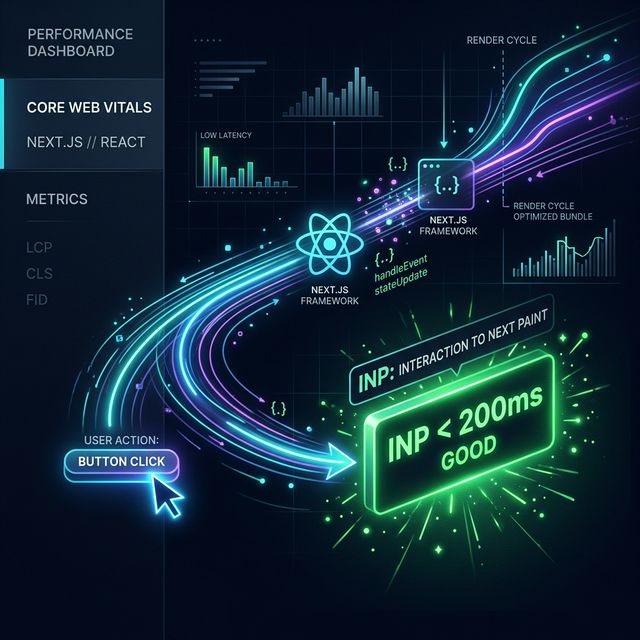
With Google officially transitioning from FID (First Input Delay) to the INP (Interaction to Next Paint) metric in its Core Web Vitals starting in 2024, the performance development processes of modern web applications completely changed. Especially in React and Next.js-based projects (e-commerce carts, filtering menus, dynamic search bars) that manage complex states, delaying responses to user clicks is the biggest cause of ranking (SEO) loss.
In this article, we will strategically examine advanced techniques on how to drop your application's INP value below 200 milliseconds (Good) by resolving unnecessary re-render (re-creation) issues.
1. What is INP (Interaction to Next Paint)?
INP is the total time that elapses between the first moment the user interacts with the page (click, keyboard input, etc.) and the first visual response (Next Paint) the browser presents to the user on the screen. For example, when an "Add to Cart" button or a Mega Menu dropdown is clicked on an e-commerce site, if it takes 300ms for the UI to react, your application has a "Poor" INP value.
A perfect INP score should be under 200ms.
2. Main Causes of INP Bottlenecks in React/Next.js Projects
In modern SPA (Single Page Application) architectures, the main reason for poor INP is Main Thread blocking:
- Excessive Re-renders: A state change in a parent component (for example, updating a Redux store or Context API) redrawing unrelated parts of the screen.
- Heavy JavaScript Execution (Hydration): The Hydration process, which makes the page HTML (SSR/SSG) interactive on the client, getting blocked by huge JavaScript bundles.
- Slow 3rd Party Scripts: Advertising, tracking, or chatbot tags monopolizing the main thread.
3. Advanced INP Improvement Strategies
Here are the core optimizations you can apply in the React ecosystem for a smoother experience:
3.1. Avoiding Unnecessary Re-renders
Optimize React's component lifecycle. Prevent large component trees from being re-created by strategically using the React.memo, useMemo, and useCallback hooks on critical interaction components. Especially when using the Context API, split context data (context state) into smaller chunks (consider transitioning to atom-based state management and using libraries like Zustand or Jotai).
3.2. Yielding to the Main Thread (Breaking up Heavy Tasks)
Let the main thread breathe to update the screen (Next Paint) by moving computationally heavy tasks to functions like setTimeout(..., 0) or requestIdleCallback. Features coming with React 18+ architecture such as startTransition and useDeferredValue hooks are excellent tools for INP in delaying non-urgent DOM updates.
3.3. Continuous Analysis with Monitoring
You cannot improve performance you cannot measure. While it's easy to catch instant INP losses in the Chrome DevTools performance tab, you cannot see the INP disasters real users experience on 4G mobile devices. By integrating professional Web Analytics systems like Crawlens Monitoring tools, you can historically analyze RUM (Real User Monitoring) data worldwide and pinpoint INP bottlenecks based on specific URLs.
Conclusion
"Bad INP" is not a destiny in React or Next.js projects; it's technical debt. By simplifying your state management and freeing up the main thread, you can respond to user interactions at lightning speed. Stay consistently at the top of the SEO competition by instantly monitoring your historical Core Web Vitals data with Crawlens integration.
Explore Our Solutions
Discover tools that will elevate your software quality.
Related Posts

Modernizing Your Frontend Test Strategy: Unit, Integration, and Visual E2E
Why are modern frontend teams moving away from 'too many unit tests' toward Visual E2E? A technical leadership perspective on testing philosophy.

Different Countries, Different Issues: Geo-Visibility Device Analysis for Global Websites
Just because your website loads fast in your office doesn't mean it's flawless globally. Discover location-based rendering errors and how to fix them.

The Hidden Costs of Building In-House Test Infrastructure with Playwright/Puppeteer
We explore the unseen server and maintenance costs of building an in-house visual testing system, comparing it with SaaS alternatives (Build vs Buy).